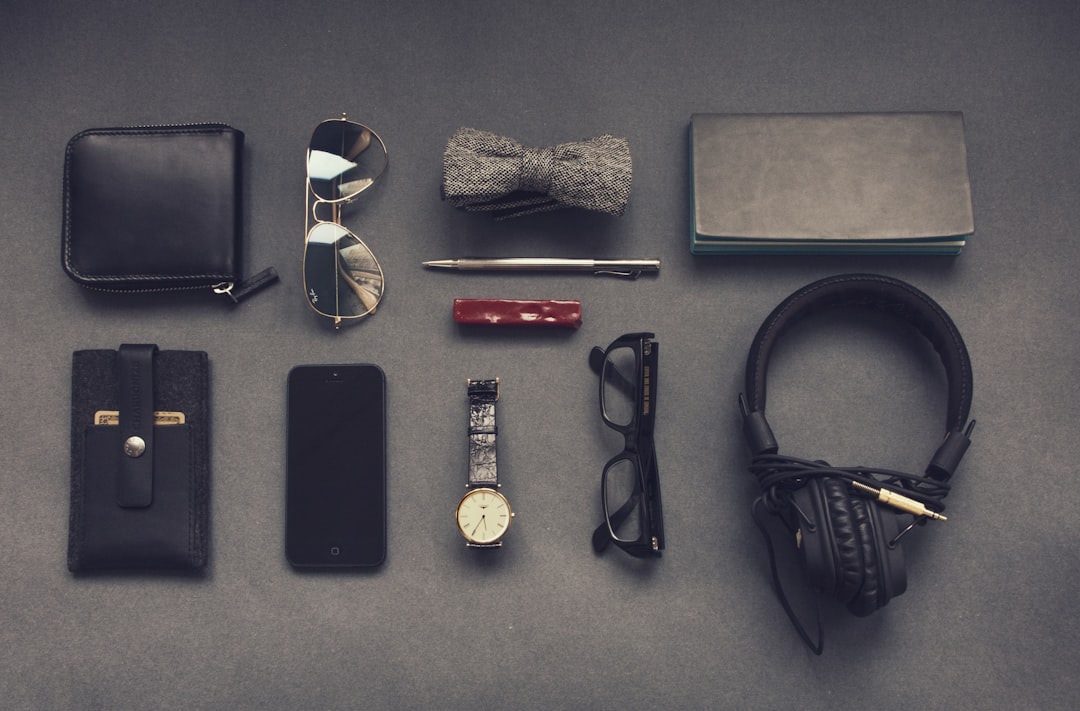
A simple care routine can prevent muffled sound, unpleasant odors, sticky controls, damaged ear pads, and moisture-related failures. This reusable checklist explains how to clean earbuds and headphones safely, protect them after workouts and travel, and decide when a worn part needs attention.
Overview
Earbuds and headphones collect different kinds of debris depending on how you use them. In-ear models commonly encounter earwax, skin oils, sweat, and pocket lint. Over-ear and on-ear headphones accumulate oils on the pads, dust around hinges, and moisture beneath cushions. Microphones, charging contacts, cables, and control surfaces also need care, but they should not all be cleaned in the same way.
Before you begin, identify the materials and removable parts on your device. Check the product manual or manufacturer support page for restrictions involving water, alcohol, leather, synthetic leather, mesh, coatings, and replaceable cushions. Water resistance is not the same as being safe to submerge, and a rating or marketing description should not replace the device-specific care instructions.
Use a conservative cleaning kit: a dry, soft, lint-free cloth; a small, soft-bristled brush; cotton swabs for accessible surfaces; and a clean, dry work area. Use cleaning solutions only when the manufacturer permits them. Keep all liquid away from speaker openings, microphones, charging ports, seams, buttons, and electrical contacts.
Basic device-safe checklist
- Power off wireless headphones and earbuds before cleaning. Disconnect wired headphones from the source.
- Remove detachable ear tips, cushions, cables, or microphone windscreens only if they are designed to come off.
- Brush or wipe loose debris away before applying any approved cleaner.
- Dampen a cloth lightly rather than spraying the device directly.
- Hold earbuds with openings facing downward when removing dry debris, so particles are less likely to fall deeper inside.
- Allow every part to dry completely before reassembly, charging, or placing it in a case.
- Stop if a component becomes loose, torn, swollen, cracked, or unusually hot.
Checklist by scenario
After everyday use
- Wipe the outside of each earbud or headphone cup with a dry, soft cloth.
- Inspect the ear tips, pad edges, headband, and microphone openings for visible buildup.
- Brush lint away from charging contacts and the case hinge without pushing debris into the contacts.
- Leave the case open briefly if the earbuds were warm or damp when stored.
- Store the set in its case or a clean, dry location rather than loose in a pocket or bag.
After exercise or heavy sweating
Remove sweat promptly with a dry cloth, paying attention to the underside of ear pads, the headband, and any area that touches skin. For earbuds, remove the ear tips if permitted and dry both the tips and the exposed surfaces separately. Do not assume that a sweat-resistant design can tolerate every workout environment or prolonged moisture exposure.
- Do not place damp earbuds immediately on charge.
- Do not seal visibly wet headphones inside a case.
- Do not use a hair dryer, heater, or compressed air at close range.
- Check the manual before using disinfectant or alcohol-based products.
If you regularly listen while exercising, consider keeping a dedicated soft cloth with your gym gear. For more general battery and charging checks, see our wireless earbud battery life and replacement guide.
When sound becomes muffled
First, compare both sides at a moderate listening level and check whether the problem follows the earbud or remains in the same ear. Remove the ear tip and inspect the protective mesh under good lighting. Use a dry, soft brush with gentle outward strokes. A wooden pick, pin, needle, or other sharp tool can puncture mesh or push wax farther inside, so avoid it.
For removable silicone tips, follow the product instructions for washing. Rinse only the detached tip if the instructions allow it, then dry it fully before reinstalling. Foam tips often require different handling and may be intended as replaceable consumables rather than washable parts. If the mesh remains blocked, the volume is uneven after cleaning, or the device has been exposed to liquid, stop experimenting and consult the manufacturer or an authorized repair option.
When headphones smell or ear pads feel sticky
Wipe synthetic leather or fabric pads with a barely damp cloth only if the manufacturer permits moisture. Do not saturate the cushion, scrub aggressively, or peel the surface. Leave the headphones in a ventilated area until fully dry. Leather, suede-like materials, coated fabrics, and memory-foam cushions may require specific care, so use the material guidance supplied with the headphones.
Persistent odor can indicate buildup inside a cushion or a deteriorating surface rather than a problem that cleaning can solve. Compare the pad condition with any available replacement parts. Replacing a removable pad may restore comfort and hygiene without replacing the entire headset.
When traveling or storing for a longer period
- Clean and dry the device before packing it.
- Use a case that prevents pressure on stems, hinges, cables, and microphones.
- Keep earbuds separated from coins, keys, cosmetics, and loose metal objects.
- Avoid leaving audio gear in a hot car, direct sun, or a damp bag.
- For wired headphones, coil the cable loosely rather than wrapping it tightly around the ear cups.
For broader setup and troubleshooting help, the Bluetooth speaker setup and troubleshooting guide covers related pairing, sound, and battery-care habits that also apply to many portable audio devices.
What to double-check
| Part or material | Safer approach | Check before doing more |
|---|---|---|
| Silicone ear tips | Remove and clean separately when permitted; dry completely. | Confirm that the tip is not torn or stretched before refitting. |
| Foam ear tips | Brush gently and follow the maker’s replacement guidance. | Do not assume washing will preserve the foam or adhesive. |
| Speaker and microphone mesh | Use a dry, soft brush and light outward strokes. | Never force debris through the opening with a sharp object. |
| Fabric ear pads | Use a dry cloth first; use approved moisture sparingly. | Check for trapped dampness beneath the cushion. |
| Leather or coated pads | Follow the specified material-care method. | Avoid household cleaners unless explicitly approved. |
| Charging contacts | Keep them dry and remove loose dust gently. | Check for corrosion, discoloration, or a loose contact. |
| Cables and connectors | Wipe the exterior and store without sharp bends. | Replace rather than repeatedly flex a frayed cable. |
Also double-check whether a sound problem is actually caused by dirt. Verify the source device, balance setting, equalizer, fit, and connection before repeatedly cleaning the hardware. If you use high-impedance wired headphones or an amplifier, our guide to headphone impedance and device compatibility can help separate a connection issue from a physical one.
Common mistakes
- Spraying cleaner directly onto the device: Liquid can migrate through mesh, seams, ports, and buttons. Apply an approved product to a cloth instead, and use the smallest practical amount.
- Using sharp tools to remove earwax: This can damage protective mesh or compact debris. Use a soft brush, removable-tip cleaning method, or professional support.
- Charging while damp: Moisture around contacts can cause unreliable charging or corrosion. Dry the earbuds, case, and contacts completely first.
- Ignoring the charging case: Dirt in the case can transfer back to clean earbuds or interrupt charging. Inspect the wells and contacts during every deeper clean.
- Over-cleaning pads: Aggressive scrubbing and repeated wetting can accelerate peeling, staining, or deformation. Gentle, regular wiping is preferable.
- Assuming water resistance means waterproofing: Treat ratings as product-specific guidance and follow the stated limits. Avoid deliberate exposure to water unless the instructions clearly support it.
- Reassembling too soon: A tip or pad that feels dry on the outside may still hold moisture underneath. Give cleaned parts time to air-dry.
When to revisit
Use this schedule as a starting point, then adjust it to your environment and listening habits:
- After each workout or visibly sweaty session: Wipe the device, dry removable parts, and keep damp gear out of its charging case.
- Once a week: Inspect ear tips, mesh, microphones, pad seams, charging contacts, and cables. Remove loose dust and skin oils.
- Once a month: Perform a deeper clean permitted by the manufacturer, check fit and sound on both channels, and inspect pads for peeling or compression.
- Before travel or seasonal changes: Confirm that the case, cable, replacement tips, and charging accessories are in good condition. Hot, humid, dusty, or rainy conditions may require more frequent checks.
- Whenever symptoms appear: Revisit the routine if sound becomes muffled, charging becomes intermittent, microphones sound blocked, an odor persists, or the device feels unusually warm.
- When a part wears out: Check whether ear tips, cushions, cables, windscreens, or cases are replaceable before buying a new device.
For a practical next step, set a recurring weekly reminder: power off the gear, inspect it under good light, clean only accessible surfaces with approved methods, and leave everything dry before storage. Save the model’s care instructions with the reminder. Recheck them whenever you change headphones, earbuds, cleaning products, or replacement parts, because materials and manufacturer restrictions can differ between generations.